The Problem: Your AI Can't Read Technical Documents
You've tried GPT-4 Vision on your technical drawings. The results? Garbage.
Standard AI approaches fail on specialized documents because:
- No domain knowledge: The model doesn't understand switchboard layouts, tier structures, or component conventions
- No visual anchors: It can't distinguish what's important from what's noise
- Inconsistent outputs: Every response has a different format, breaking your downstream processing
- Missed sections: Critical data gets overlooked entirely
Our client faced exactly this. They needed to extract tier numbers, widths, ventilation status, and component values from electrical switchboard drawings.
First attempt with zero-shot prompting: 18.2% accuracy.
That's not a typo. The AI got it right less than 1 in 5 times.
What if you could triple that accuracy without changing models or increasing costs?
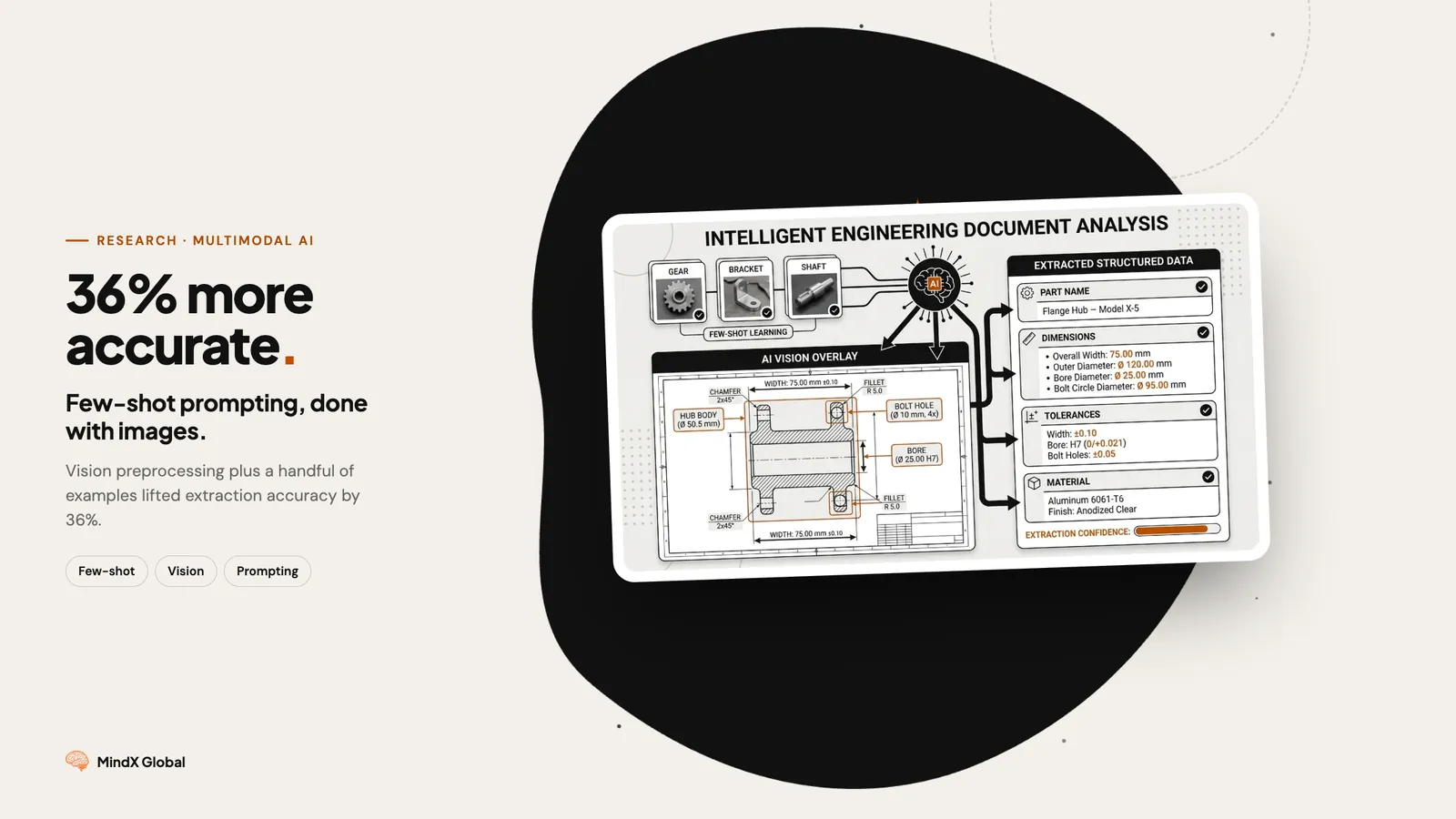
What We Built: Few-Shot + Computer Vision Pipeline
We combined two techniques that individually help, but together create something powerful:
| Technique | What It Does | Impact |
|---|---|---|
| CV Preprocessing | Highlights key areas before LLM sees the image | Focuses attention |
| Few-Shot Examples | Shows the model exactly what success looks like | Teaches patterns |
| Structured Output | Enforces JSON schema with Pydantic | Guarantees valid data |
The Results
| Metric | Zero-Shot | Few-Shot (4 Examples) | Improvement |
|---|---|---|---|
| Exact Match Rate | 18.2% | 54.5% | +36.3% |
| Field-Level Accuracy | 78.7% | 92.6% | +13.9% |
| Tier Count Accuracy | 72.7% | 100.0% | +27.3% |
The tier count went from 72.7% to 100%. The zero-shot model fundamentally misunderstood the document structure. With examples, it got it right every single time.
Step 1: Computer Vision Preprocessing
Before the LLM ever sees your document, prepare it visually.
We trained a lightweight detection model (Roboflow) to identify key components:
- MCMP plates: Yellow overlay + green border
- Metering units: Blue border outline
The LLM receives a "cheat sheet" image. Instead of scanning the entire complex drawing, it knows exactly where to focus.
Think of it like highlighting a textbook before an exam. The content is the same, but the important parts are marked.
Step 2: Few-Shot Examples That Actually Work
The difference between good and great few-shot prompting is example selection.
Bad Examples
- All similar complexity
- Same document type
- No edge cases
Good Examples (What We Used)
- Example 1: Simple layout, minimal components
- Example 2: Heavy ventilation, complex tier structure
- Example 3: Mixed components, unusual widths
- Example 4: Edge case with missing data
Key insight: 4 diverse examples beat 20 similar ones. Quality and coverage matter more than quantity.
Step 3: Enforce Structure with Pydantic
Even with great examples, LLMs can output malformed JSON. We use Pydantic to guarantee valid outputs — no more JSON parsing errors, no missing fields, no type mismatches.
What You Can Apply Today
- Don't start with the LLM. Use CV to preprocess and highlight key regions first.
- Build a diverse example set. Cover edge cases, not just happy paths. 4-6 high-quality examples beats 20 mediocre ones.
- Enforce structure. Use Pydantic, Zod, or JSON Schema. Never trust free-form LLM output in production.
- Measure properly. Track exact match rate AND field-level accuracy. They tell different stories.
| Use Case | Expected Improvement |
|---|---|
| Technical drawings | 30-40% accuracy boost |
| Medical forms | 20-35% accuracy boost |
| Financial documents | 25-40% accuracy boost |
| Handwritten forms | 15-30% accuracy boost |
Results Summary
| Before | After | Impact |
|---|---|---|
| 18.2% exact match | 54.5% exact match | 3x improvement |
| Inconsistent JSON | Guaranteed schema | Zero parsing errors |
| Manual review required | Automated pipeline | Hours saved daily |
| Prototype quality | Production ready | Deployed to client |