The Problem: Business Cards Go Into a Drawer and Die
Your sales team comes back from a conference with 200 business cards. What happens next?
- Best case: Someone spends 4 hours typing them into the CRM
- Typical case: They sit on a desk for 2 weeks, then get entered (if ever)
- Worst case: They go in a drawer and those leads are lost forever
The irony is brutal. You spent $5,000-15,000 on the conference booth. Your team had great conversations. People handed over their cards — a clear buying signal. And then you lose them to a data entry bottleneck.
Existing scanner apps? They get the easy ones right but choke on:
- Creative designs — Dark backgrounds, vertical layouts, unusual fonts
- Non-Latin scripts — Japanese, Chinese, Arabic, Korean cards
- Multi-line titles — "VP of Strategic Partnerships & Business Development"
- Multiple phone numbers — Office, mobile, WhatsApp — which is which?
What if every card went straight into your CRM the moment you snapped it?
What We Built
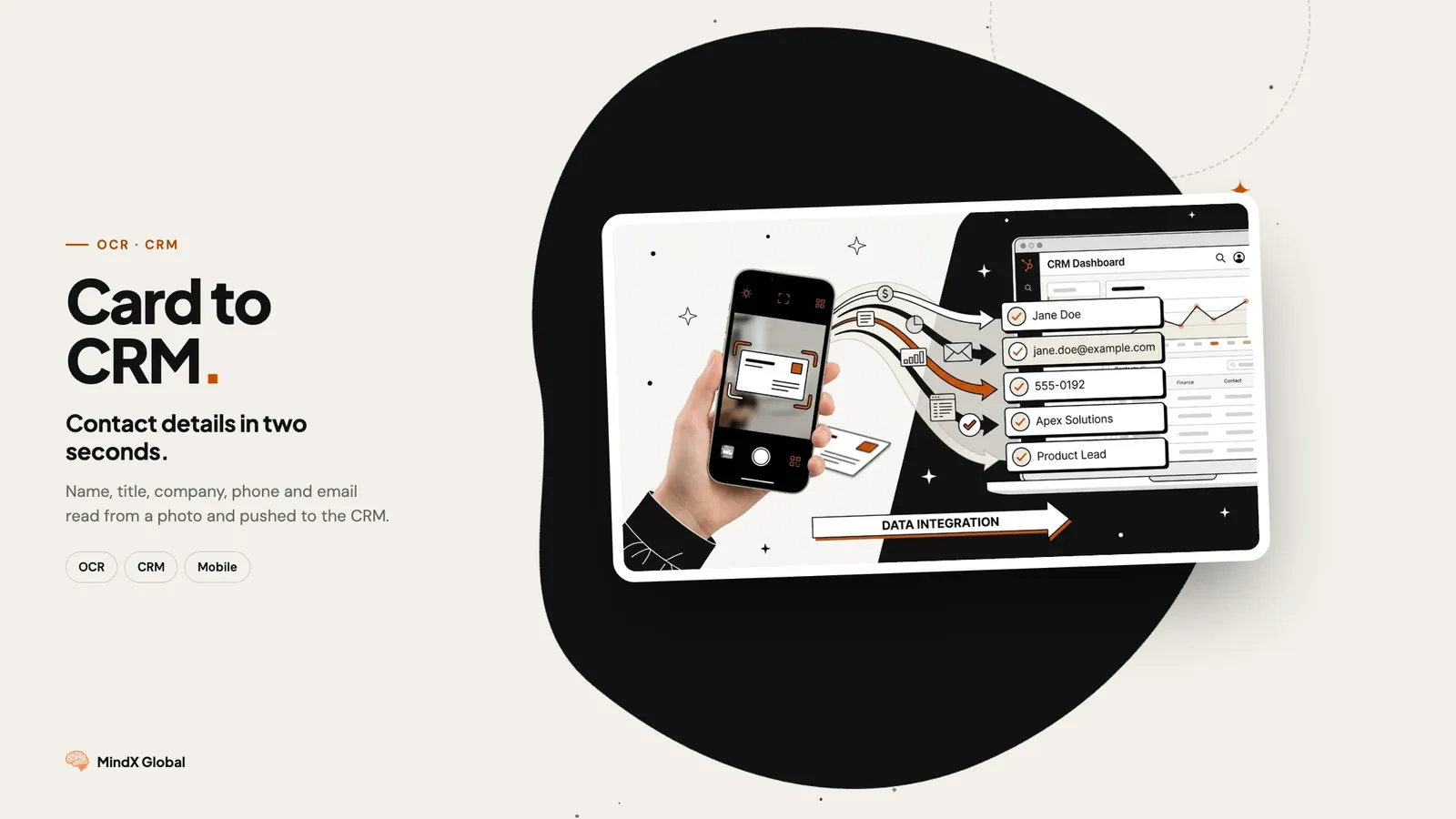
A business card scanning system that reads any card, in any language, with any design — and pushes clean, structured contact data into your CRM automatically.
The Flow
1. Snap the Photo Use the built-in camera capture or upload from gallery. Batch mode lets you photograph a stack of cards in rapid succession.
2. AI Reads the Card Our multimodal AI doesn't just do OCR — it understands business card structure. It knows that the largest text is usually the name, the text after "@" is an email domain, and "+49" means a German phone number.
| Field | Extraction Logic |
|---|---|
| Full Name | Largest text, position hierarchy |
| Job Title | Below name, above company |
| Company | Logo association, font weight |
| Pattern matching + domain validation | |
| Phone | Number format detection, label parsing |
| Address | Postal pattern, city/country detection |
| Website | URL pattern recognition |
| Social handle extraction |
3. Deduplication Before creating a new contact, fuzzy matching checks against your existing CRM database. If "John Smith from Acme Corp" already exists, the system updates rather than duplicates.
4. CRM Push One click sends the contact to HubSpot, Salesforce, or Airtable. Tagged with the event name, date captured, and any notes you added.
The Technical Challenges
Multilingual Cards
A single card might have English on one side and Japanese on the other. Or mixed scripts — company name in Arabic, email in Latin characters. Our model handles all of this without language switching.
Creative Layouts
Minimalist cards with just a name and QR code. Vertical orientations. Dark backgrounds with light text. Cards shaped like guitar picks (yes, really). We trained on thousands of edge cases.
Batch Processing
At a conference, speed matters. The batch mode processes up to 50 cards per minute — snap, flip, snap, flip. Processing happens in the background while you keep scanning.
Results
| Metric | Manual Entry | Our System |
|---|---|---|
| Time per card | 1-2 minutes | 2 seconds |
| Accuracy | ~95% (typos) | 99% |
| Batch speed | 30-40/hour | 50/minute |
| Time to CRM | 1-14 days | Instant |
| Duplicate rate | 15-20% | <1% |
For a sales team attending 10 events/year with 150 cards per event:
- Before: 25 hours/year on data entry, 20% of leads never entered
- After: Zero manual entry, 100% of leads in CRM within 24 hours
- Impact: 20% more leads in pipeline, follow-up emails sent same day
Who This Is For
- Sales teams who come back from a trade show with a stack of cards
- Recruiters collecting contacts at career fairs
- Estate agents taking details at open houses
- Consultants keeping partner and client contacts in one place
- Anyone who collects business cards and wants them in the CRM, not a drawer